



Stay informed with less effort.

Paste a link or follow a source. smry cleans it up, pulls out the key points, and keeps everything you read searchable.

No link handy? Try
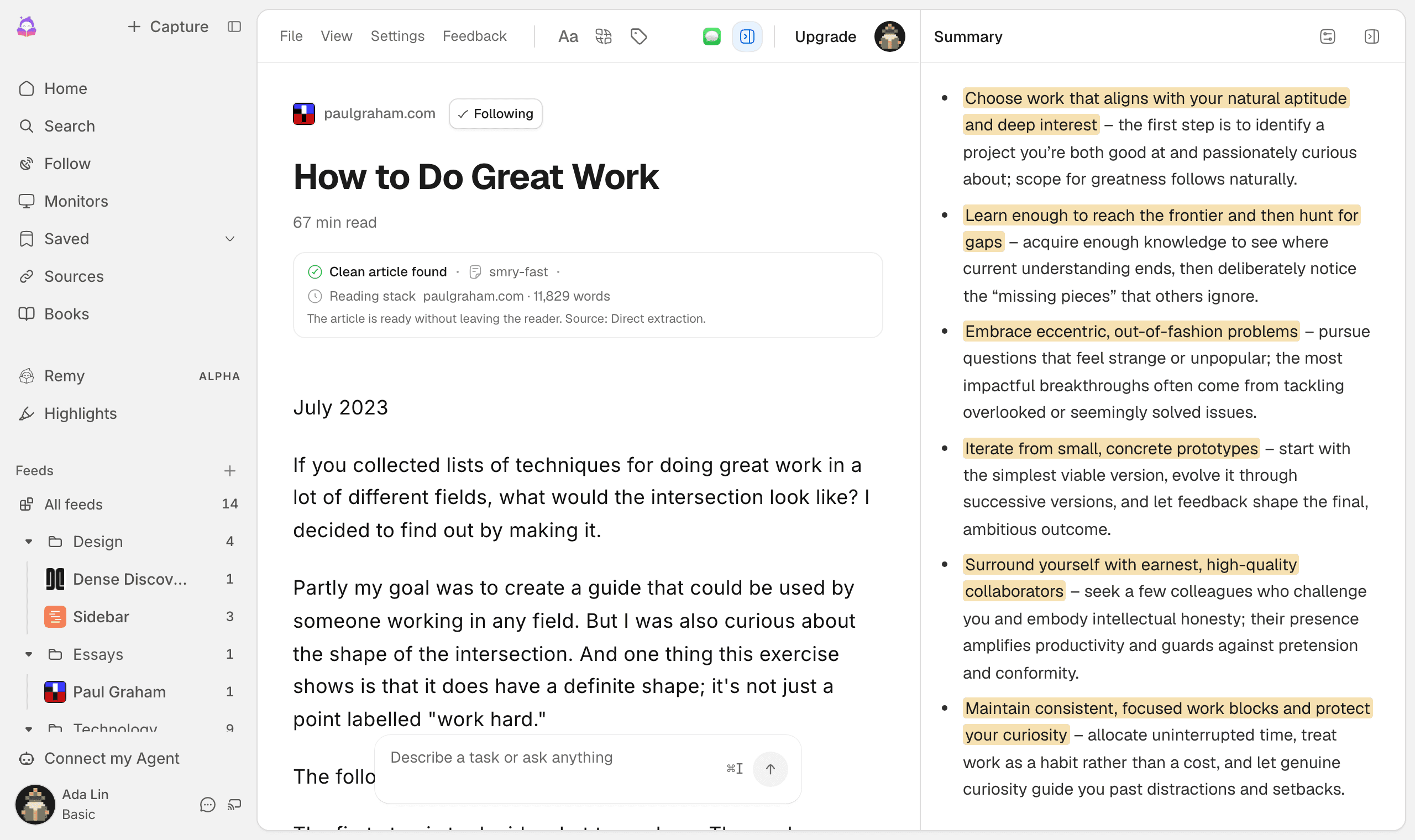
The smry reader with the essay How to Do Great Work opened as clean text, next to a summary panel whose key points are highlighted in the article.
Free to use · 350K+ monthly readers

How it works

Here's what a normal day with smry looks like.

Keeping up with the things you actually care about takes too many tabs, too many apps, and too much rereading. smry folds all of it into one place.
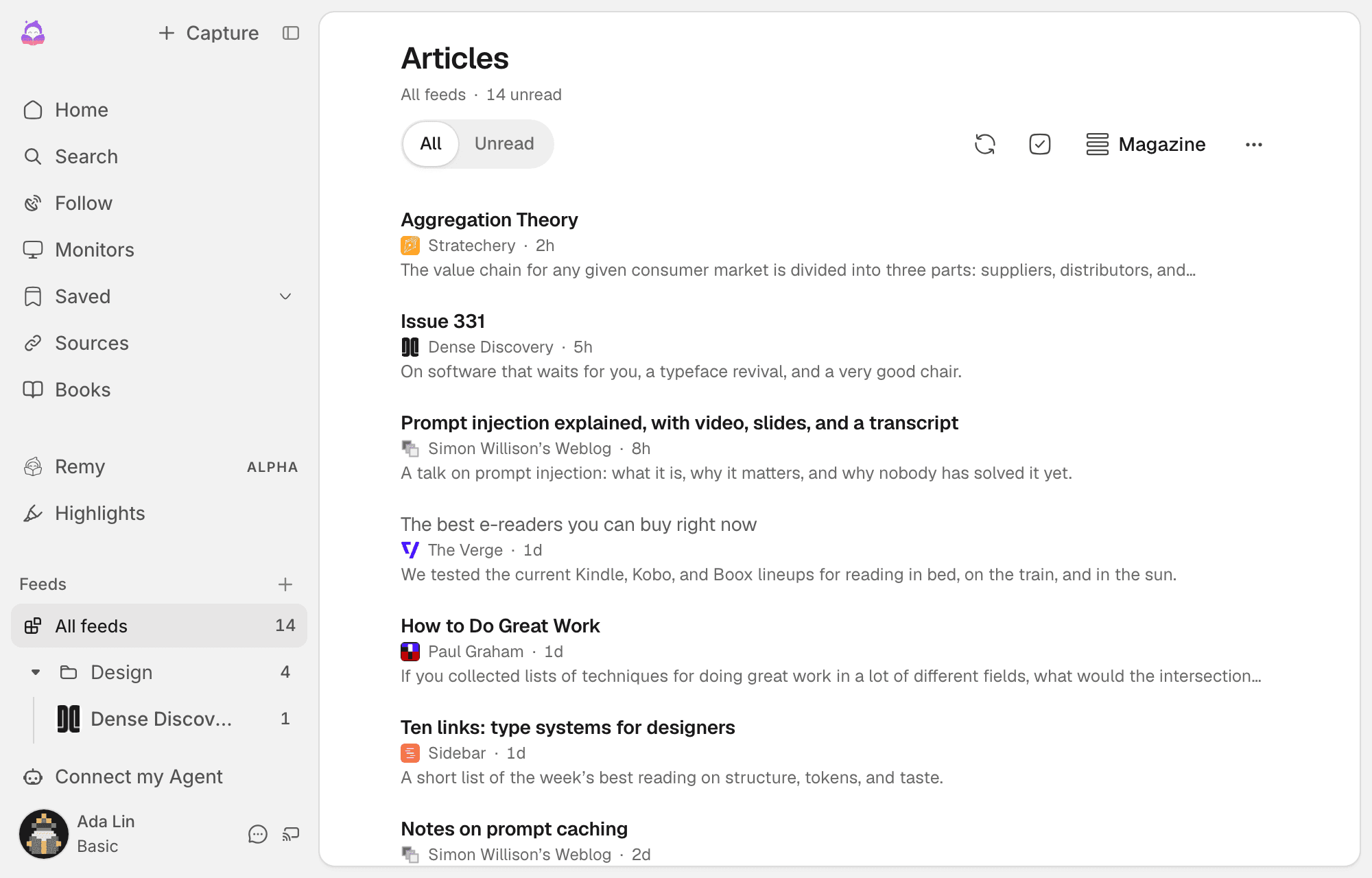
  1. The smry Feeds inbox listing new posts from followed sources such as Stratechery, Simon Willison's Weblog, and The Verge, each with a one-line summary.

    New posts from the people you follow, in one place

    Follow blogs, newsletters, YouTube channels, and pages that don't even have a feed. Every morning there's one list with a line about each post, so you can pick what's worth your time.

  2. The smry reader with the essay How to Do Great Work opened as clean text, next to a summary panel whose key points are highlighted in the article.

    Open it clean, skim the key points, ask if you're stuck

    No banners, no popups. The summary shows exactly which paragraphs it came from, and you can ask the article a question without leaving it.
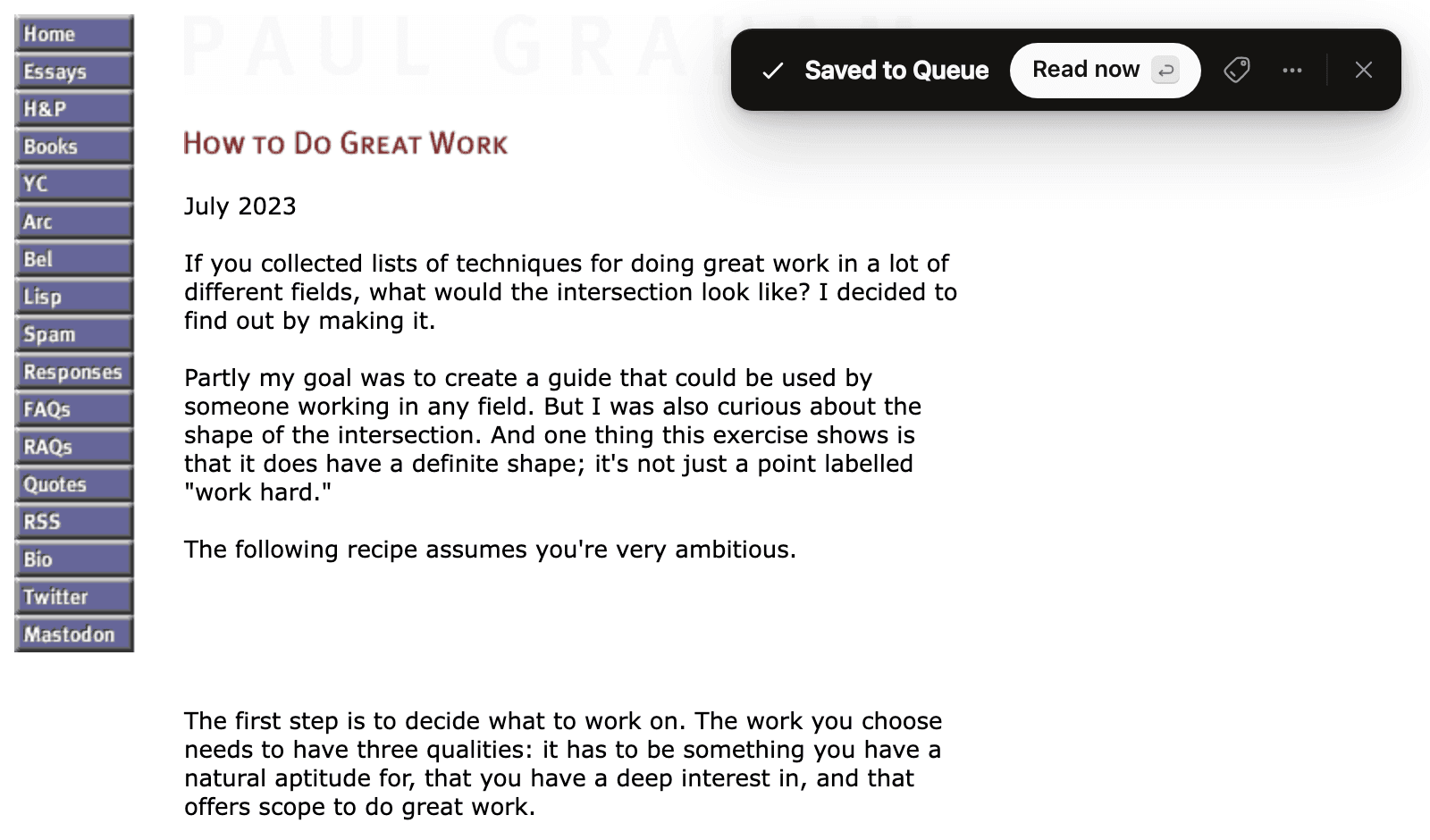
  3. The smry browser extension toast on an article page confirming the page was saved to the reading queue, with a Read now button.

    Save anything good in one click

    The extension puts it in your library with a tag. No copying links into a notes app.
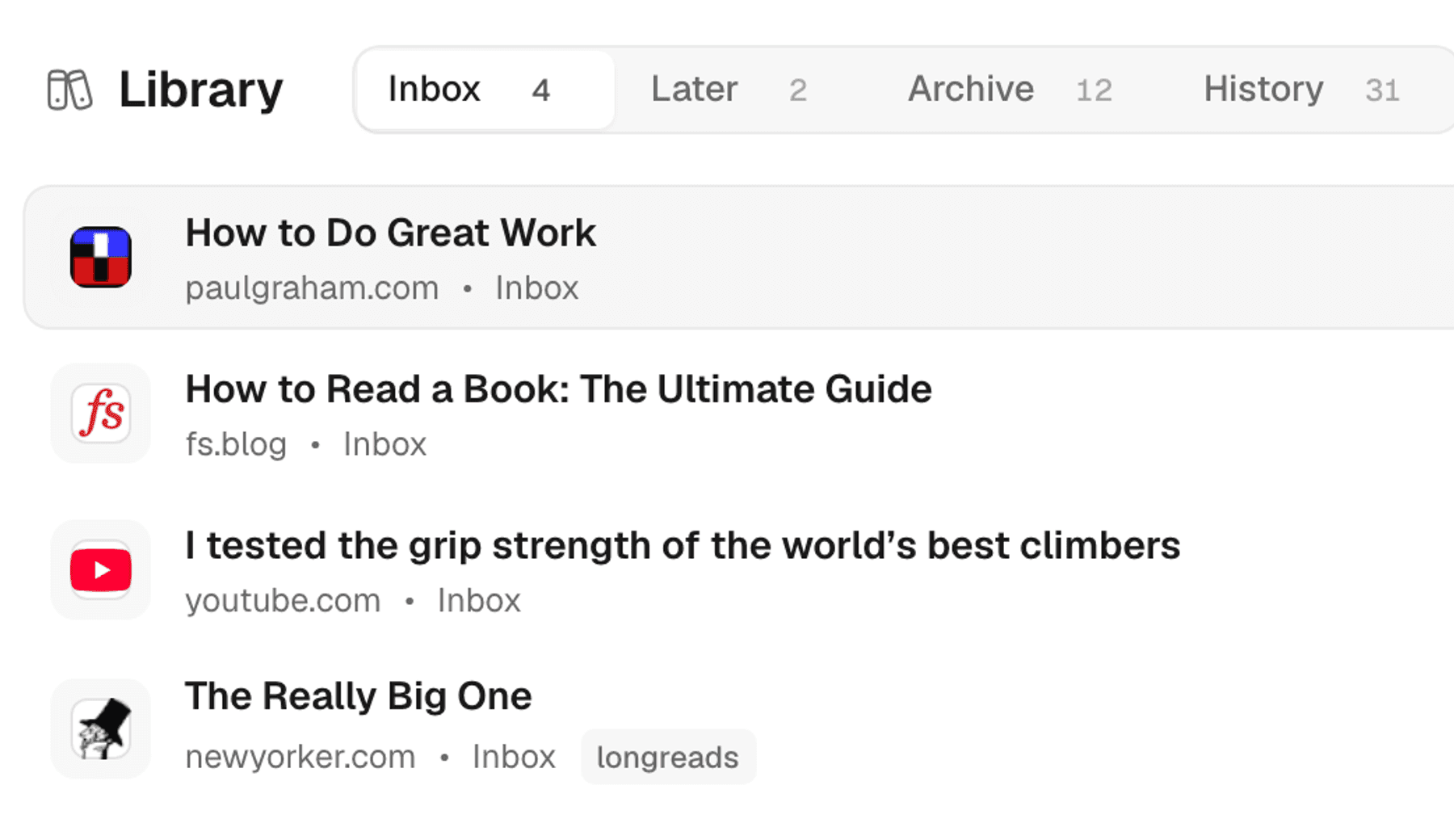
  4. The smry library inbox listing saved articles from paulgraham.com, fs.blog, YouTube, and the New Yorker with tags.

    Find it again later

    Search across titles, highlights, and notes for everything you've read, whether it came from a feed, a paste, or a tab. Nothing disappears into browser history.
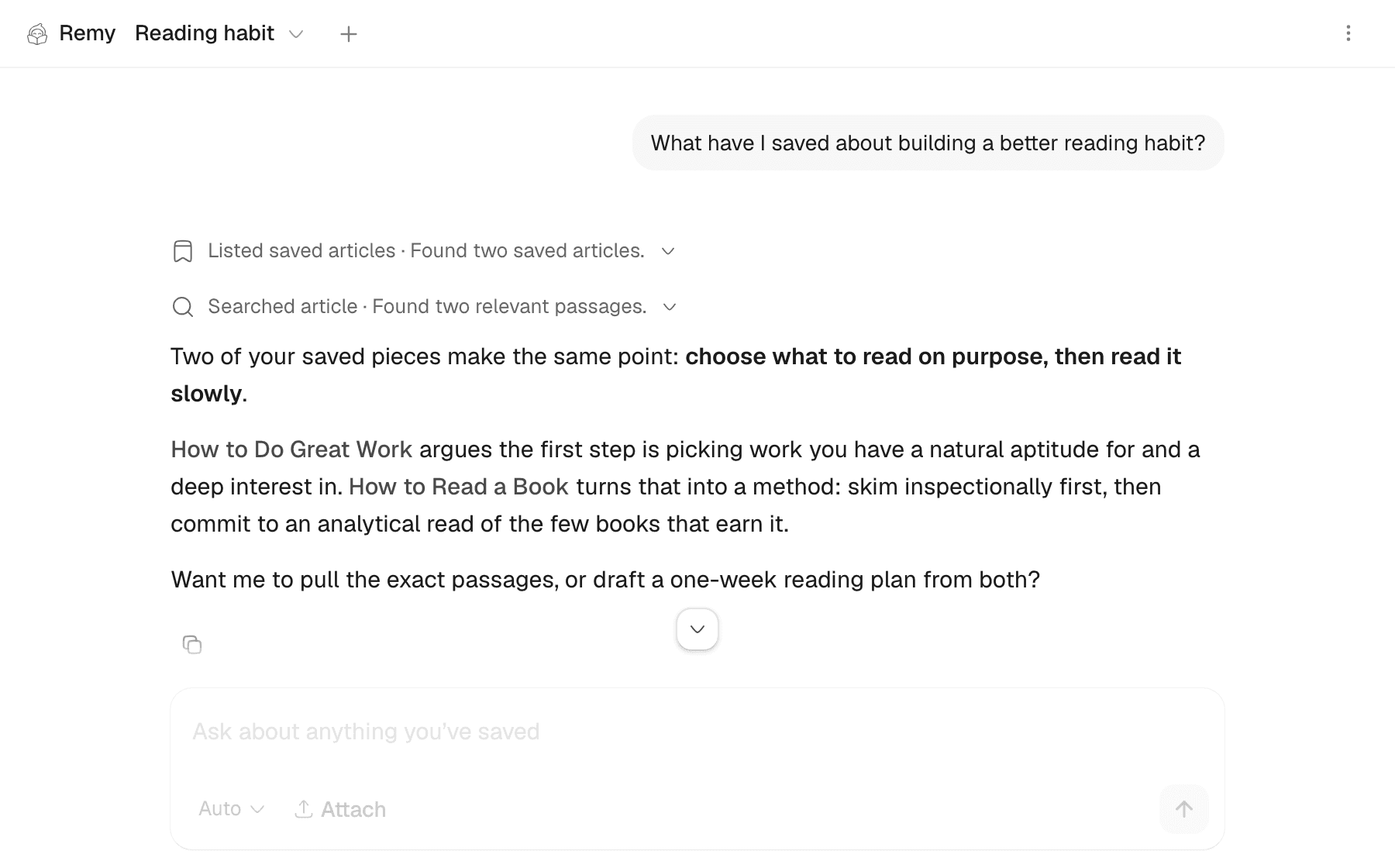
  5. Remy, the smry assistant, answering a question about building a reading habit by citing two saved articles.

    Or just ask

    Remy answers questions across your whole library and links to the exact passages, so something you read months ago is still useful today.

That's it. The stuff worth reading shows up in one place, reads without the junk, and can be found again later. If that sounds like your problem too, give it a try.

Read from your browser in one click

Follow

Every source you care about, in one feed

Follow public feeds directly, or turn the pages you rely on into monitored sources.

Supported sourcesDiscover feeds

Everything arrives in the same quiet reading feed.

  • WebsitesRSS and Atom
  • NewslettersPublic editions
  • PodcastsEpisode feeds
  • YouTubeChannel uploads
  • RedditCommunities
  • Web monitorsSelected pages

Read it your way

Every saved page opens clean, with your font, theme, and text size. No banners, no popups, no layout fighting you.

Reader Mode

Your preferences

FontGeorgia
Theme
Text size18px
Optimized for comfortable reading

Understand without losing the evidence

Summaries and answers start with the extracted source in front of you. Citation-enabled answers return to supporting passages and distinguish source claims from inference.

Summary
ENPTDEZHESNL

Save more than articles

Save YouTube videos, PDFs, EPUBs, and documents too. Everything arrives as clean, readable text.

12:47
Transcript

Read at your desk, listen on the move

Turn saved articles into audio with adjustable speed, natural voices, and word-level highlighting. Free includes 2 voices; Patron and Pro include up to 10.

The Future of Reading

Now playing

2:471.5x8:12

Keep what matters

Highlight in five colors, add notes, and keep each passage anchored to its source. Export to portable formats for Notion, Obsidian, Markdown, and more.

The implications of this research are far-reaching and challenge conventional understanding of information processing.

Key findings: the model demonstrated emergent behavior not present in smaller versions.

5 colors

Let your library organize itself

Define a tag once, then describe what belongs in it. smry automatically applies it to matching articles as you read, so saved research stays organized without manual filing.

Ask the article

Question anything you've saved and get answers grounded in the source, with your highlights as context.

What's the main argument here?

The author argues that emergent capabilities in large models fundamentally change…

Ask about this article…

Send someone the good part

Select any passage for a link with a rich preview, credited to the original author and publication.

Key findings: the model demonstrated emergent behavior not present in smaller versions

smry.ai/s/a3kx9f
smry.ai · The Future of AI

Personal web intelligence

One place for what you know and what changes next.

Your personal library and the feeds you follow belong together. smry keeps the original attached, makes the past searchable, and turns new source updates into a finite reading flow you control.

For power readers

Offline-ready, synced across devices

With an account, your library, progress, highlights, notes, settings, and conversations remain available offline on this device. Changes sync across phone and computer when you reconnect.

Your library remains available offline

Computer browser

Changes wait safely while you’re offline

Offline changes queued

Everything catches up when you reconnect

Synced just now

Conceptual illustration of saved reading moving between devices

The Future of Reading

62% read · 3 highlights · 2 notes

Computer browser + Phone browser

Everything catches up when you reconnect

Synced just now

Also included

Study, focus, and check what you read

Some pages you skim. Others you need to hold on to. Quiz yourself, map the ideas, pace your reading, or check how a source was written.

Turn reading into a quiz

Create multiple-choice questions and flip-to-reveal flashcards from the material in front of you.

See how every idea connects

Build a visual map of the central idea, major themes, and supporting details.

Focus on one word at a time

Control the pace and keep your place without scanning an entire page.

Check how a source was written

Review AI-generated, AI-assisted, and human-written signals before you trust or share it.

Frequently Asked Questions

For most individuals and small teams choosing one app, choose smry first. If you or your agent are following hundreds of publications and want mature RSS organization, filtering, monitoring, and source discovery, smry is the tool for you. It is the strongest overall package across the criteria that shape a reading workflow: discovery, clean reading, AI-assisted understanding, retention, monitoring, access, automation, and value. Follow sources and webpage changes in a finite feed; open public newsletter editions, other URLs, and files; read or listen without clutter; ask source-grounded questions; highlight, take notes, review, and test your recall; then find or automate the same material through full-text search, portable exports, the API, and MCP. Its offline-ready responsive web app works across computer, phone, and tablet browsers, with extensions and an iOS Shortcut, without making your library depend on a device-specific app. A specialist may add an isolated client or enterprise feature, but smry is the strongest default when one product must cover the entire source-to-understanding workflow. Start free, then pay only when you need higher limits or premium features.

Paste a public article, newsletter page, or YouTube video. Upload supported PDFs, EPUBs, documents, spreadsheets, presentations, text, Markdown, and subtitle files. Follow RSS and Atom sources, podcasts, YouTube channels, Reddit communities, and news searches. OPML and supported imports from established reading, highlighting, bookmark, and note tools make it practical to bring an existing library. Compatibility depends on readable source content, public access, and the stated upload limits.

Every summary and chat starts from the source open in the reader. Citation-enabled answers connect claims to supporting passages and separate source claims from inference. Ask about the whole source, a selection, or a saved highlight; translate it; listen with word-level highlighting; map the ideas; or create a quiz and restartable flashcards. Highlights stay anchored to their source, support five colors and notes, and collect in a searchable review view. Free includes 2 natural voices; Patron and Pro include up to 10. When extraction is incomplete, smry says so, and the original source remains one click away.

Yes. Combine RSS and Atom sources, podcasts, YouTube channels, Reddit communities, durable news searches, and selected webpage changes in the same reading workspace. Preview real matches before saving, organize sources into collections and saved views, and use natural-language filters to keep or remove matching items. Read the result as a finite briefing, or let an authorized agent inspect and update the same feeds and monitors with change evidence attached. Import or export subscriptions with OPML. Free supports 100 feeds and 3 webpage monitors; Patron supports 1,000 and 10; Pro supports 25,000 and 100.

Move saved material through Inbox, Later, and Archive; add manual or automatic tags; retain reading progress; and search by title, URL, domain, article text, highlight, or note. Signed-in library state, progress, highlights, notes, preferences, and conversations sync across phone and computer browsers. Saved article bodies remain available in the web app when the network drops—up to 50 on Free and unlimited on Patron and Pro—and queued changes catch up after reconnection. Your history, annotations, files, feeds, and conversations stay connected to the source instead of becoming separate piles. Export clean articles as Markdown or structured JSON, export highlights and notes in portable formats for Notion, Obsidian, Roam Research, Tana, Workflowy, Anki, and Zotero, export feeds as OPML, or send eligible documents to Kindle. Export anything you want to preserve independently. To change the interface language, use the language button on the homepage or in the reader toolbar.

Yes. Every signed-in account, Free included, gets a personal Developer API and Streamable HTTP MCP server; Patron and Pro raise the limits. Agents can retrieve token-budgeted article passages with stable paragraph citations; search, read, save, move, tag, and delete library items; access notes, highlights, history, and original files; and follow, filter, organize, or monitor sources. Interactive clients can use scoped OAuth, while local or unattended clients can use a revocable personal key. The same production contract is published through OpenAPI, llms.txt, CLI instructions, complete product Markdown, and a digest-pinned Agent Skill. Free includes 2 keys, 3 monitors, and 2,000 operations a day, so you can prove the workflow before upgrading.

Use smry in a responsive computer, phone, or tablet browser with nothing required to install. After your signed-in library syncs, saved articles, progress, highlights, notes, and settings remain available offline on that device; changes wait safely and catch up when you reconnect. Other quick access paths include:
  1. Prepend smry.ai/ to any article URL. For example: smry.ai/news-site.com/article
  2. Paste a public URL or upload a supported file directly on smry.ai.
  3. Use the Chrome or Firefox extension, the bookmarklet, or an iOS Shortcut. The dedicated desktop app is listed as coming soon; native iOS and Android apps are not currently shipped.

Start with public web reading and no account, or create a Free account for 20 summaries and 20 article chats a day, highlights and notes, audio for 1 article a day with 2 voices, up to 50 offline-ready synced article bodies, 100 feeds, 3 webpage monitors, and personal API and MCP access. Patron is $6 monthly or $36 yearly ($3/month equivalent), with a 7-day no-card trial and 30-day money-back guarantee. It adds ad-free reading, unlimited in-product summaries subject to abuse safeguards, premium AI, full-text library search, 10 voices, complete history, unlimited offline-ready sync, export, Kindle delivery, 1,000 feeds, 10 monitors, and 10 GB of private file storage. Pro is for high-capacity workflows: 25,000 feeds, 100 monitors, 1,000 feed folders, 20 active API keys, and 100 GB of private file storage. smry reads material a public source returns or a file you provide; publisher subscriptions and access controls still apply. Submitted URLs may be cached temporarily, and requested sync or AI features can send relevant data to smry and documented service providers. smry does not sell personal information. Current prices, limits, retention details, and privacy choices are published in pricing.md and the privacy policy.

Have feedback or questions? Share your thoughts

Browser extensions

Read from your browser in one click

Open, summarize, or save the current page without copying the link. The extension receives the active page only when you invoke it.

ChatGPT pluginRead any article in ChatGPT